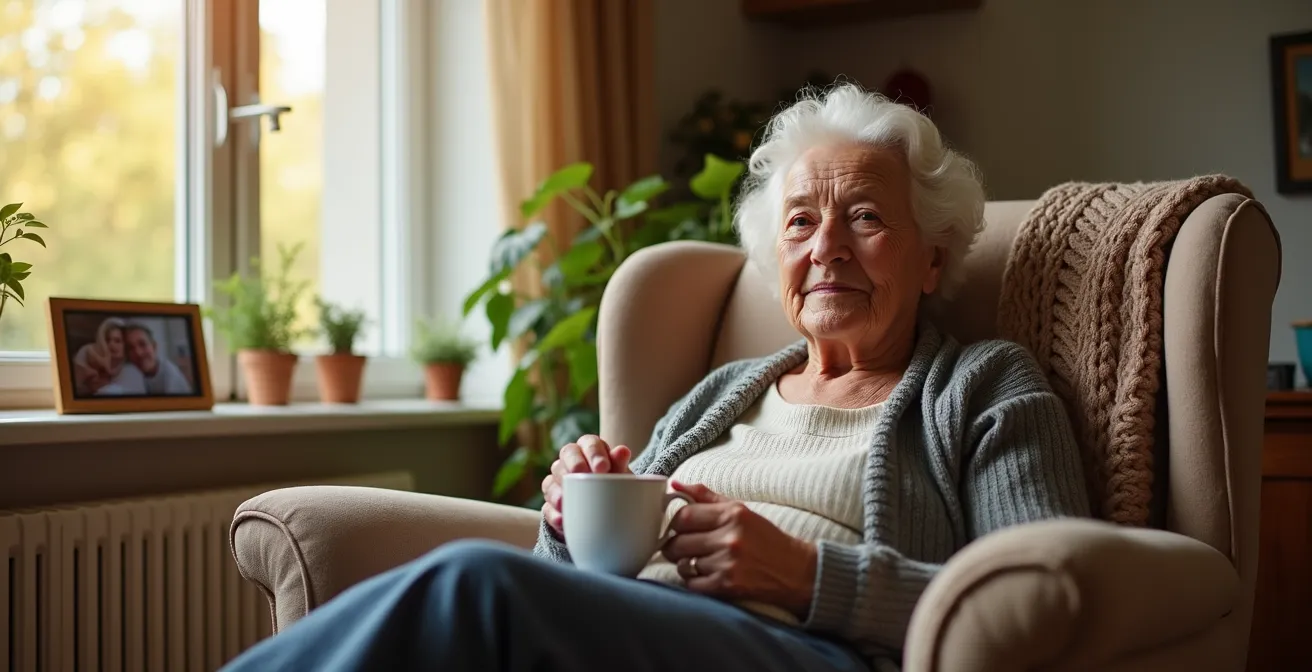
The core ethical dilemma of monitoring a loved one with dementia can be resolved by choosing technology that observes patterns, not people.
- Passive sensors provide peace of mind by tracking routines and anomalies (like a missed meal) using abstract data, not invasive video.
- Smart displays can reduce isolation and support communication with a lower cognitive load than complex tablets.
Recommendation: Build a layered “scaffolding of trust” by starting with the least intrusive options first, ensuring every technological choice preserves your loved one’s dignity and autonomy.
For families caring for a person with dementia, a profound and painful tension exists: the desperate need to ensure their loved one’s safety against the deep-seated desire to respect their privacy and independence. The fear of a fall, a missed medication, or wandering is constant, making remote monitoring seem essential. Yet, the immediate thought of security cameras often feels like a violation of trust, turning a home into a place of surveillance. This dilemma leaves many caregivers feeling trapped between guilt and anxiety, searching for a solution that doesn’t force them to choose between safety and dignity.
The common advice often circles around generic GPS trackers or medical alert buttons, which, while useful, don’t address the full spectrum of needs or the ethical complexities involved. But what if the goal wasn’t surveillance, but supportive awareness? What if the best technology is the one that is felt but not seen, offering a safety net built on a foundation of dignity? The key lies in shifting focus from direct observation to understanding patterns through dignity-preserving technology. This approach uses abstract data to provide peace of mind without intruding on personal moments, transforming telecare from a monitoring tool into a supportive partnership.
This article provides a framework for making these principled decisions. We will explore how to build a “scaffolding of trust”—a layered system of the least intrusive tools necessary to ensure safety. We’ll examine how passive sensors protect privacy, how to configure alerts ethically, and how to choose communication devices that connect rather than confuse, all while preserving the person’s sense of self and home.
To help you navigate these critical choices, this guide is structured to address the most pressing ethical and practical questions. The following sections will walk you through the nuances of each technology, providing a clear path to creating a safe and respectful environment.
Summary: A Framework for Dignified Telecare
- Why Passive Activity Monitoring Is Less Intrusive Than Video Feeds?
- How to Configure Geofencing Alerts for Wanderers in Rural Areas?
- Wi-Fi vs. Cellular Telecare: Which Is Safer for Isolated Homes?
- The Placement Error That Triggers Fall Sensors When You Sit Down
- When to Upgrade from Family Alerts to a 24/7 Monitoring Center?
- Why Seeing Facial Expressions Reduces Communication Anxiety in Seniors?
- The Emergency Response Gap That Endangers Seniors Without Medical Alerts
- Smart Displays vs. Tablets: Which Device Best Helps Seniors Stay in Touch with Family?
Why Passive Activity Monitoring Is Less Intrusive Than Video Feeds?
Passive activity monitoring is the cornerstone of dignity-preserving telecare. Unlike video cameras, which capture deeply personal and potentially embarrassing moments, passive systems collect abstract data. They use simple, unobtrusive sensors on doors, refrigerators, medication boxes, or beds to learn daily routines. The system doesn’t see *what* a person is doing; it only registers that an event has or has not occurred within an expected timeframe. For example, it can trigger an alert if the fridge hasn’t been opened by 10 AM or if the front door opens in the middle of the night.
This method respects privacy by translating human activity into anonymous data points. It provides caregivers with crucial insights—Is mom up and about? Did dad take his evening medicine?—without ever needing to view a video feed. This preserves a person’s sense of autonomy and prevents the feeling of being constantly watched. It shifts the dynamic from surveillance to support, allowing families to build a caregiving relationship based on trust. Given the immense responsibility on caregivers, where unpaid family members in the US provide over 19 billion hours of care valued at nearly $413 billion, these systems also help reduce anxiety by providing reassurance without demanding constant visual check-ins.
The key benefits of this approach over traditional video surveillance are significant:
- Routine Monitoring: The system learns normal patterns and flags anomalies, such as a lack of movement or deviation from a routine, without recording specific actions.
- Dignity Preservation: Data is collected as timestamps and sensor states, not as visual recordings that could capture a person in a vulnerable state.
- Tailored Alerts: Systems can be customized for specific needs. For instance, a bed sensor can be set to alert a caregiver only if a person gets up and does not return within a set period, indicating a potential fall or wandering episode.
- Reduced Caregiver Anxiety: Passive data provides peace of mind and awareness of safety without the emotional toll of constant video monitoring.
By focusing on patterns rather than actions, passive monitoring offers a compassionate and effective way to ensure safety while upholding the dignity of the person with dementia.
How to Configure Geofencing Alerts for Wanderers in Rural Areas?
Geofencing is a powerful tool for families concerned about wandering, especially in rural areas where a person can become disoriented over vast distances. It works by creating a virtual boundary around a safe area, like a home and its immediate yard. When a person wearing a GPS device crosses this boundary, an alert is automatically sent to the caregiver. However, the ethical and effective use of geofencing lies in its thoughtful configuration, particularly in environments with unique challenges like sparse cellular coverage and large properties.
This is a visualization of how abstract geofencing zones can be conceptualized over a rural landscape, creating safe areas without intrusive physical barriers.

Instead of a tight, restrictive perimeter, a more humane approach in a rural setting is to create layered zones. The first, smallest zone might cover the house and garden, triggering a simple notification. A second, much larger zone could encompass a familiar walking route or a neighbor’s property, triggering a more urgent alert. This “buffer zone” approach allows for safe, independent movement while still providing a critical safety net. As the Alzheimer’s Association notes, it’s vital to ensure any service purchased provides reliable network coverage in the specific area, as this is not always a given in rural locations.
Choosing the right technology is critical. Standard GPS relies solely on satellites and can be slow, while Assisted GPS (A-GPS) uses cellular networks to improve speed and accuracy, which is a key consideration in rural settings.
| Feature | Standard GPS | Network Assisted GPS (A-GPS) |
|---|---|---|
| Indoor Accuracy | Limited or no signal | Enhanced accuracy with network assistance |
| Time to First Fix | 30-60 seconds | 3-10 seconds |
| Rural Coverage | Satellite-dependent only | Combines satellite + cellular towers |
| Battery Consumption | Lower | Higher due to cellular use |
| Zone Alert Frequency | Every 30 minutes typical | Can be set for more frequent updates |
Ultimately, the goal is not to confine but to protect. By configuring large, layered zones and selecting technology with robust rural coverage, caregivers can grant their loved ones the freedom to enjoy their surroundings safely.
Wi-Fi vs. Cellular Telecare: Which Is Safer for Isolated Homes?
For individuals with dementia living in isolated homes, a reliable connection for telecare devices is not a luxury—it’s a lifeline. The choice between Wi-Fi and cellular-based systems often depends on the specific type of isolation. A home may have “network isolation” with poor cell signal but reliable broadband internet, or “infrastructure isolation” where power outages are frequent, affecting both routers and cell towers. The safest solution often lies not in choosing one over the other, but in implementing redundancy.
Many modern telecare base stations are designed with both Wi-Fi as a primary connection and a cellular SIM card as an automatic backup. If the home’s internet goes down, the system seamlessly switches to the cellular network to ensure alerts for falls, wandering, or inactivity are still transmitted. This failover capability is the gold standard for safety in isolated settings. The proven effectiveness of such remote monitoring systems is clear, as demonstrated by the fact that UCSF’s Care Ecosystem telecare program has been replicated by over 25 organizations since its inception.
While high-speed internet seems advanced, for critical, low-data alerts like a fall detection signal, connection reliability is far more important than bandwidth. A cellular connection, while slower, is often more robust and less susceptible to localized power outages that can knock out a home’s Wi-Fi router. Therefore, a cellular-first or a dual-connectivity system is generally the safer choice for core emergency functions.
Your Checklist for Connectivity in Isolated Homes
- Assess your isolation type: Determine if you face ‘Network Isolation’ (poor cell signal) or ‘Infrastructure Isolation’ (frequent power cuts).
- Implement redundancy: Choose systems offering both Wi-Fi primary and cellular SIM for automatic failover during outages.
- Secure Wi-Fi connections: Use WPA3 encryption and create a separate guest network dedicated to telecare devices to prevent security breaches.
- Protect cellular devices: Enable a SIM PIN on the device to prevent unauthorized use or “SIM swapping” attacks.
- Prioritize reliability over bandwidth: Recognize that cellular connections often provide superior reliability for essential, low-data alerts like fall detection.
- Test backup power: Regularly check that your system’s battery backup for both the router and the cellular components is functional.
Ensuring this digital lifeline remains intact, regardless of external conditions, is a critical component of a comprehensive and trustworthy telecare strategy.
The Placement Error That Triggers Fall Sensors When You Sit Down
Fall sensors are a vital part of a telecare system, but they can become a source of frustration and anxiety if they frequently trigger false alarms. One of the most common complaints from users is that their sensor sends an alert when they simply sit down quickly on a sofa or chair. This happens because the sensor is programmed to detect a specific pattern: a high-velocity impact followed by a period of stillness. Unfortunately, collapsing into a soft armchair can mimic this pattern almost perfectly, leading to an unnecessary emergency call.
The single biggest mistake is wearing the sensor in a location that exaggerates this movement. For instance, a pendant worn on a long chain can swing and hit the body or furniture with force when sitting, creating the “impact” signature the sensor is looking for. Similarly, a sensor clipped loosely to a belt or waistband can be jostled significantly. The most effective placement is often a purpose-built wristband or a pendant worn on a short cord, close to the sternum, where it moves more in sync with the body’s core and is less prone to extraneous motion.
Modern sensors are becoming more sophisticated to combat this issue. Many now include a “learning mode” during the first week of use, allowing the algorithm to calibrate itself to the user’s specific movements and patterns of sitting and standing. Furthermore, some systems use a “Two-Factor Fall Verification” method. The initial sensor alert is treated as the first factor. It is then cross-referenced with a secondary check, such as data from a passive motion sensor showing no movement in the room for several minutes, or an automated voice prompt from the base station asking, “Are you okay?” before escalating to a human monitoring center. This greatly reduces the stress of false alarms for both the user and their family.
By understanding the mechanics of false positives and focusing on proper placement and modern verification features, families can ensure that a fall sensor provides reliable security without creating unnecessary alarm.
When to Upgrade from Family Alerts to a 24/7 Monitoring Center?
In the early stages of dementia care, a telecare system that sends alerts directly to a family member’s phone can be a perfect solution. It’s cost-effective and keeps the circle of care small and personal. However, there comes a point where the responsibility of being the sole responder becomes unsustainable. The decision to upgrade to a professional 24/7 monitoring center is a critical step in building a resilient “scaffolding of trust” and should be based on clear indicators of caregiver burnout and evolving safety needs.
The primary trigger for this upgrade is often caregiver capacity. If the primary caregiver is unable to answer their phone consistently—due to work, their own health issues, or simply needing to sleep through the night without interruption—the safety net has a critical hole. Research highlights this burden, with one study showing that up to 70% of dementia caregivers experience clinical symptoms of depression due to the overwhelming stress. When the fear of missing an alert adds to this mental load, it is a clear sign that professional backup is needed.
A professional monitoring center offers a layer of calm, trained expertise that a panicked family member may not possess in an emergency.
Another key factor is the increasing complexity or frequency of alerts. If wandering episodes become more common, or if falls or other medical events are on the rise, a professional service is better equipped to triage the situation. Trained operators can speak to the person through the base unit, assess the severity of the situation, and dispatch the appropriate level of help—whether it’s calling a neighbor for a minor issue or an ambulance for a true emergency. This removes the emotional burden and guesswork from the family, ensuring a swift and correct response every time.
Upgrading to a 24/7 monitoring center isn’t an admission of failure; it is a strategic and loving decision to strengthen the safety net and protect the well-being of everyone involved in the care journey.
Why Seeing Facial Expressions Reduces Communication Anxiety in Seniors?
For a person with dementia, communication can become a significant source of anxiety and frustration. As cognitive function declines, processing auditory information becomes more difficult. This is often compounded by age-related hearing loss, a condition that affects a large portion of this population. In this context, video calls are not just a social tool; they are a vital communication aid. The ability to see a loved one’s facial expressions provides a rich layer of non-verbal context that a simple phone call cannot offer.
A smile, a nod of understanding, or a look of concern can convey meaning and emotion far more effectively than words alone. These visual cues help the person with dementia decode the conversation, reducing the cognitive load required to understand what is being said. This can significantly lower the anxiety associated with social interaction. According to the Alzheimer’s Association, with over 7 million Americans aged 65 and older living with Alzheimer’s, finding ways to ease communication is a widespread need. When a person can see that their conversation partner is engaged and empathetic, they feel more secure and connected, which can combat feelings of isolation.
This is particularly crucial for individuals who also have hearing loss. As research from the University of South Dakota has explored, telecare can reduce stress for caregivers and improve communication, especially when clinic visits are difficult. For a person struggling to hear, lip-reading and facial expressions are essential for comprehension. A video call provides this necessary visual information, turning a potentially stressful interaction into a more successful and reassuring one. It allows the person to participate more fully in family conversations, maintaining vital social bonds that are essential for emotional well-being.
By prioritizing video-enabled communication, families can help their loved ones stay connected not just through words, but through the universal language of human expression.
The Emergency Response Gap That Endangers Seniors Without Medical Alerts
The most dangerous part of a fall is often not the impact itself, but the time spent on the floor afterward, unable to get help. This period, known as a “long lie,” creates a critical emergency response gap that can lead to severe health complications like dehydration, hypothermia, and pressure sores. Without an automatic medical alert system, a person who has fallen might be on the floor for hours or even days. As data from telecare services confirms, this delay is a significant risk, and a personal fall alarm is designed specifically to close this dangerous gap.
A comprehensive emergency response system does more than just call for help; it creates an immediate, multi-layered response that bypasses common points of failure. The most critical component is a wearable device that automatically detects a fall and alerts a monitoring center, working even if the person is unconscious or unable to reach a phone. This immediacy is what drastically reduces “lie time” and its associated dangers.
Furthermore, professional monitoring services are designed to overcome “bystander hesitation.” A family member receiving an alert may hesitate, wondering if it’s a false alarm or feeling uncertain about what to do. A trained professional, however, is tasked with acting immediately. They follow a clear protocol: establish two-way communication through the base unit, assess the situation, and dispatch the appropriate level of help. This ensures that every alert is treated with the seriousness it deserves, closing the response gap with speed and expertise. A robust system will also have a backup alert chain, notifying other family members or services if the primary caregiver doesn’t respond, ensuring no call for help ever goes unanswered.
Key Takeaways
- Prioritize passive monitoring that uses abstract data over invasive video to preserve your loved one’s dignity.
- Configure technology ethically—such as using wide, layered geofences and appropriate smart display settings—to fit the individual’s needs and environment.
- A layered “scaffolding of trust,” which can scale from family alerts to 24/7 professional centers, provides a resilient and adaptable safety net as care needs evolve.
By implementing a system that guarantees a swift response, families can provide a powerful layer of protection against the hidden dangers of a fall.
Smart Displays vs. Tablets: Which Device Best Helps Seniors Stay in Touch with Family?
Choosing the right device to help a senior with dementia stay connected with family is about more than screen size or features; it’s about minimizing cognitive load. While a tablet offers vast functionality, its interface of icons, menus, and applications can be confusing and overwhelming for someone with cognitive decline. In contrast, a smart display, like an Amazon Echo Show or Google Nest Hub, offers a simplified, voice-first interface that is far more intuitive.
The primary advantage of a smart display is its “passive” nature. When not in use for a call, it functions as a digital photo frame, a clock, or a source of ambient information, blending into the home environment. A simple voice command like “Alexa, call my daughter” is all that’s needed to initiate contact, removing the need to navigate a complex interface. Many of these devices also offer a “drop-in” feature, allowing a designated family member to initiate a video call without the person needing to answer—a gentle, non-intrusive way to check in visually that is less startling than an unexpected ring. As Dementia Care Central notes, the Google Nest Hub is particularly well-suited for this, as it automatically adjusts photo brightness to match room lighting, making the display feel more like a natural picture frame and less like a glaring screen, which is important for those sensitive to bright lights.
A tablet, on the other hand, requires active engagement. The user must remember how to unlock it, find the right app, and navigate to the correct contact. While tablets are excellent tools for cognitive stimulation through specific apps, they are often less effective for simple, spontaneous communication.
Here is a comparison of how these two device types stack up for dementia care:
| Feature | Smart Display (e.g., Echo Show) | Tablet |
|---|---|---|
| Cognitive Load | Low – Voice-first interface (‘Alexa, call daughter’) | High – Requires navigation of icons and menus |
| Primary Function | Passive device (photo frame, clock, reminders) | Active engagement required |
| Drop-In Feature | Available for non-intrusive wellness checks | Not available – requires active answering |
| Smart Home Integration | Excellent – Controls lights, thermostats via voice | Limited – Requires app navigation |
| Display Quality | Adjusts brightness to ambient lighting | Fixed brightness can be distracting |
| Best For | Simplifying environment, passive engagement | Cognitive stimulation apps, wider functionality |
Google’s Nest Hub automatically adjusts photo brightness to match room lighting so they don’t look digital – important for dementia patients sensitive to bright lights. If displaying photographs is important, Google’s Nest Hub is the best option.
– Dementia Care Central, Technology & Devices to Assist Alzheimer’s & Dementia Caregiving
The next step is to assess your loved one’s specific environment, technical comfort, and communication habits. Use this guide not as a shopping list, but as an ethical framework to select and configure a support system that provides both safety and respect, strengthening family bonds in the process.
Frequently Asked Questions about Telecare Systems for Dementia
Why does my fall sensor trigger when I sit down quickly?
It’s detecting ‘high-velocity impact followed by stillness’ – the same pattern as a fall. Modern sensors have a ‘learning mode’ that can be trained to recognize your specific sitting patterns during the first week of use.
Which furniture causes the most false alarms?
Recliners with strong spring mechanisms, low futons, and soft sofas are common culprits. The sensor interprets the rapid descent and bounce as a fall event.
How can I verify if an alert is real?
Use ‘Two-Factor Fall Verification’: the sensor alert is the first factor, followed by a secondary check from a passive sensor (no movement for 5 minutes) or an automated voice prompt asking ‘Are you okay?’